How AI Integrates with Your Existing Business Systems
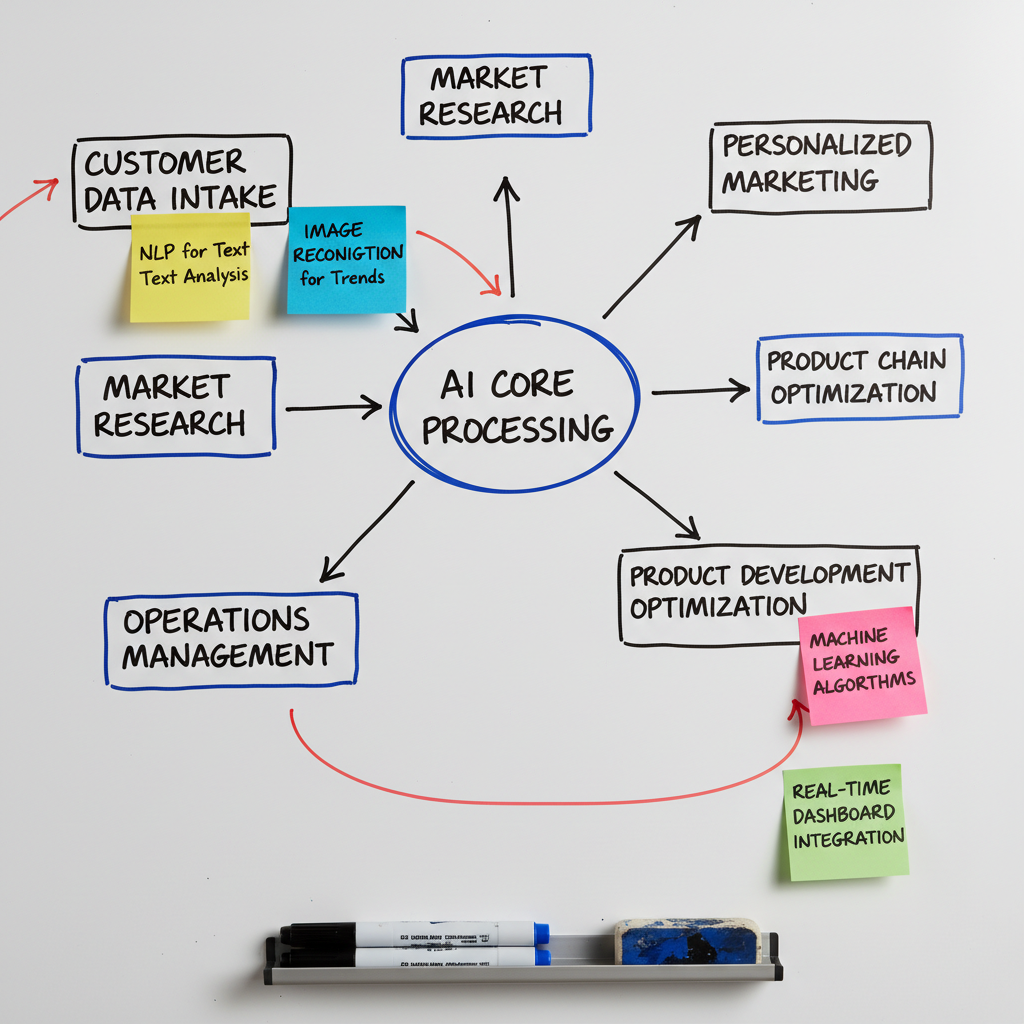
One of the biggest concerns businesses have about adopting AI is integration: "Will it work with our existing systems?" "Do we need to replace our current tools?" "How complex is the implementation?" The good news is that modern AI solutions are designed for seamless integration with existing business systems, requiring minimal disruption and technical expertise.
The Integration Challenge
Businesses have invested significantly in their current systems—CRM platforms, accounting software, project management tools, e-commerce platforms, and more. The thought of replacing these systems to adopt AI is daunting and expensive.
Modern AI solutions solve this problem through flexible integration approaches. Instead of replacing your systems, AI connects to them, enhancing their capabilities while preserving your existing workflows and data.
How AI Integrates
API Connections: Most modern business systems offer APIs (Application Programming Interfaces) that allow external tools to connect and exchange data. AI platforms use these APIs to read data from your systems, perform analysis or automation, and write results back.
For example, an AI chatbot connects to your CRM via API to access customer information during conversations. When a customer asks about their order, the chatbot retrieves real-time data from your order management system and provides an instant answer.
Pre-Built Integrations: Leading AI platforms offer pre-built integrations with popular business tools like Salesforce, HubSpot, QuickBooks, Shopify, Microsoft 365, and Google Workspace. These integrations work out-of-the-box with minimal configuration.
Middleware Platforms: Tools like Zapier, Make, and Microsoft Power Automate act as bridges between AI solutions and your business systems. These platforms provide visual interfaces for creating integrations without coding.
Custom Integration: For unique requirements, AI platforms provide tools and documentation for building custom integrations. Many businesses work with implementation partners who handle the technical details.
Common Integration Scenarios
CRM Integration: AI connects to your CRM to enrich lead data, predict conversion probability, automate follow-ups, and provide insights on customer behavior. Sales teams continue using their familiar CRM interface while benefiting from AI intelligence.
E-commerce Integration: AI integrates with platforms like Shopify, WooCommerce, and Magento to provide personalized product recommendations, automated customer service, inventory optimization, and predictive analytics.
Accounting Integration: AI connects to QuickBooks, Xero, or other accounting systems to automate invoice processing, expense categorization, financial forecasting, and anomaly detection.
Communication Integration: AI integrates with email platforms, chat tools (Slack, Teams), and phone systems to automate responses, summarize conversations, and extract action items.
Marketing Integration: AI connects to email marketing platforms, social media management tools, and analytics platforms to optimize campaigns, personalize content, and provide performance insights.
Implementation Best Practices
Start with one integration: Choose a high-impact integration that delivers clear value. Prove the concept before expanding to other systems.
Ensure data quality: AI is only as good as the data it accesses. Clean and organize your existing data before integrating AI tools.
Plan for security: Ensure AI integrations follow your security policies and compliance requirements. Use secure authentication methods and limit data access to what's necessary.
Test thoroughly: Before going live, test integrations with sample data to ensure they work as expected. Identify and resolve issues in a controlled environment.
Train your team: Help employees understand how AI integrations enhance their existing tools. Provide training on new capabilities and workflows.
Monitor and optimize: After implementation, monitor integration performance and gather feedback. Adjust configurations to optimize results.
Real-World Integration Examples
A real estate agency integrated AI with their CRM and email system. The AI automatically enriches lead data, scores lead quality, and sends personalized follow-up emails. Result: 40% increase in lead conversion without changing their core CRM system.
An e-commerce business integrated AI with their Shopify store and customer service platform. The AI provides personalized product recommendations and handles customer inquiries automatically. Result: 30% increase in average order value and 60% reduction in support tickets.
A professional services firm integrated AI with their project management and accounting systems. The AI automates time tracking, generates invoices, and provides project profitability insights. Result: 15 hours saved weekly on administrative tasks.
The Future of Integration
AI integration is becoming easier and more powerful. Emerging standards and protocols are making systems more interoperable. AI platforms are expanding their pre-built integration libraries.
The trend is toward "AI-native" business systems where AI capabilities are built directly into the tools you use. Your CRM will have AI intelligence built-in. Your accounting software will include predictive analytics. Your project management tool will have AI-powered optimization.
For now, integration approaches allow you to add AI capabilities to your existing systems without disruption. You get the benefits of AI while preserving your current workflows and investments.
Integration concerns should not prevent you from adopting AI. Modern AI solutions are designed to work with your existing business systems, not replace them. The implementation is typically straightforward, especially with pre-built integrations and middleware platforms. The result is enhanced capabilities for your current tools, improved workflows, and better business outcomes—all without the disruption of replacing your core systems.